Add Zooms
Hard-cut punch-zooms and Ken Burns pushes that give a flat talking-head clip its energy.
About
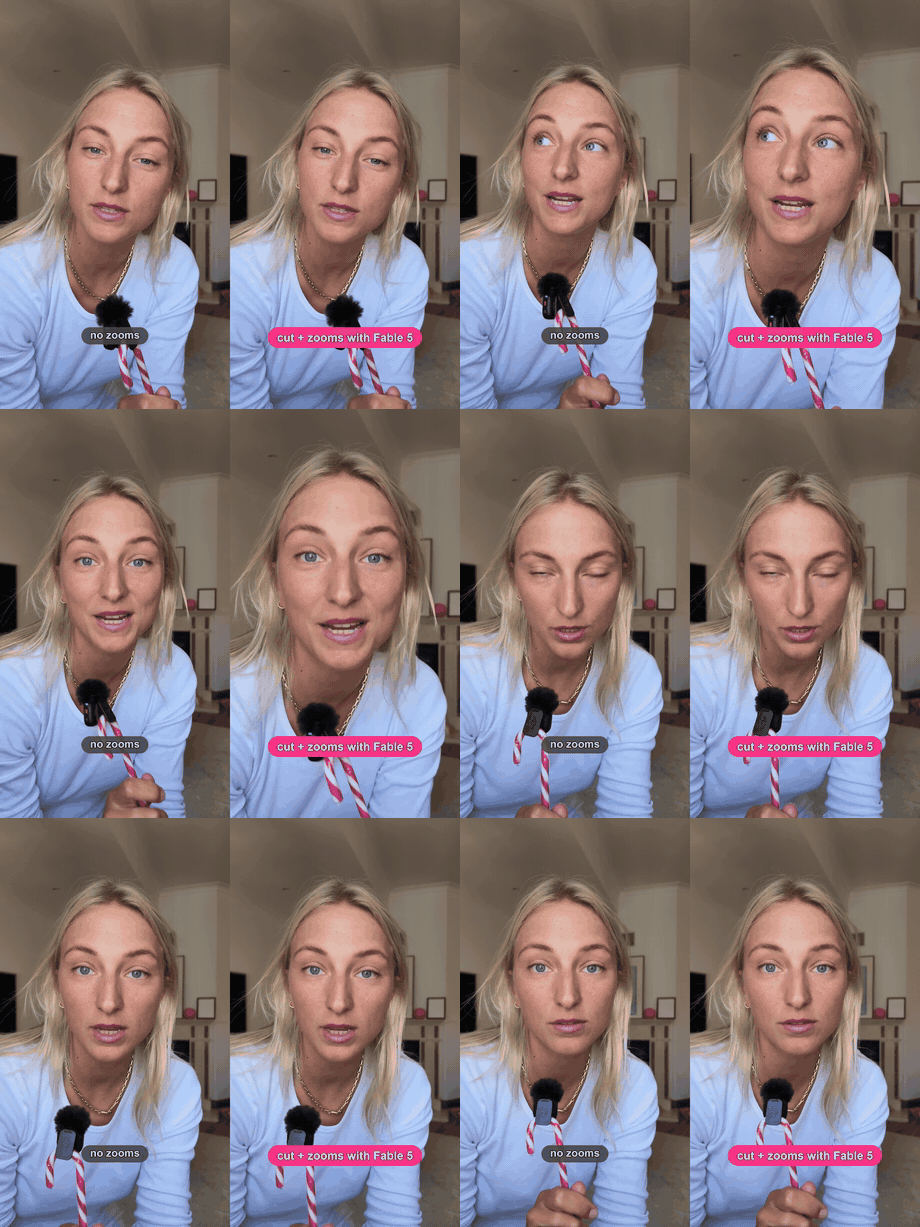
Add emphasis motion to a flat talking-head video: dramatic hard-cut punch-zooms on emphasised words and listicles, and subtle Ken Burns slow-pushes on insightful lines. Transcript-driven, ffmpeg-based, non-destructive.
Built for vertical 9:16 social clips — LinkedIn hot-takes, TikToks, Shorts — where a flat talking-head needs energy without a manual editing timeline.
You give it a video and a small zoom map (a JSON list of moments). A hard-cut zoom reads as intentional only when it lands exactly on the word's onset — timing is the whole game.
What it does
- Punch — hard cut in on a single emphasised word, hold, hard cut out
- Ratchet — a listicle hard-cuts up a level per item, then cuts back
- Ken Burns — a slow continuous push on an insight or thesis line (the only smooth move)
- Overlapping events blend via a max envelope, so releases lift instead of snapping down
- Audio is stream-copied and output is +faststart for social; re-render after edits in ~5× realtime
Install
terminal
$ git clone https://github.com/louisedesadeleer/add-zooms.git ~/.claude/skills/add-zoomsRegister it with Claude Code by pointing your CLAUDE.md at the skill's SKILL.md.
How to use it
- Transcribe for word timings, then write a zoom map placing each t on a word's start.
- Render: python3 scripts/zoom_lib.py render input.mp4 output.mp4 map.json.
- Prove the difference with a synced split-screen via scripts/make_comparison.py.