The Best Agentic Video Editors in 2026: AI Agents That Record and Edit
The best agentic video editors in 2026: AI agents that plan an edit, use real editing tools, check their work and revise. Compared by where the video starts, how you direct the agent, and whether Claude or ChatGPT can drive it.
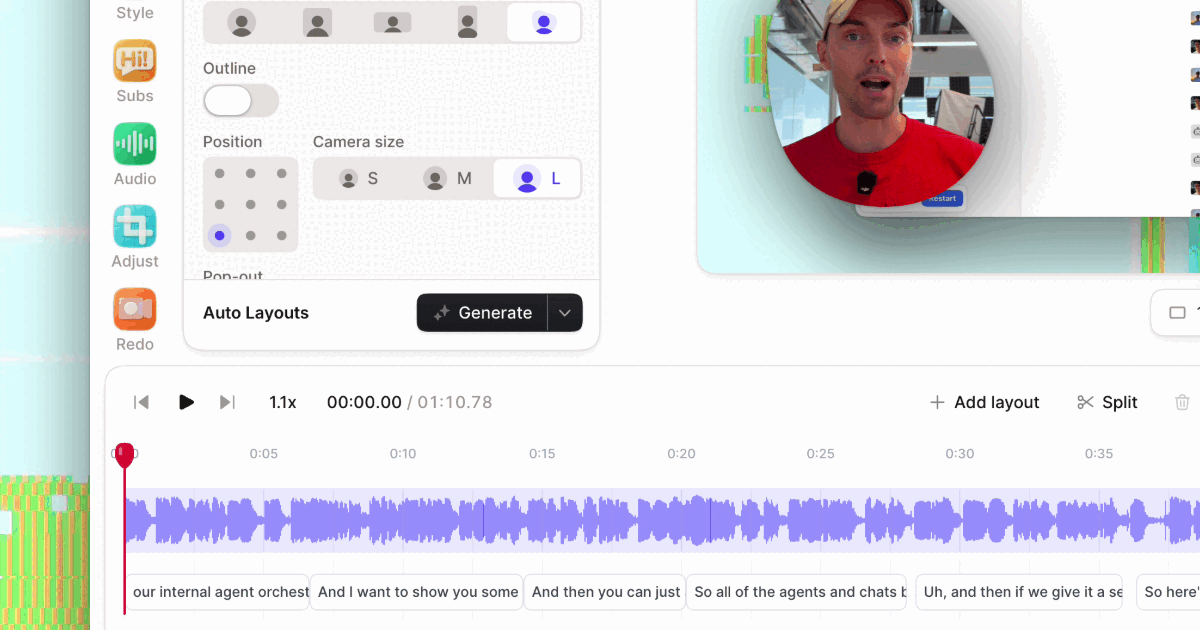
A year ago, "AI video editing" meant one-click features: remove silences, add captions, auto-reframe. Now a growing set of editors ship an agent. You describe the outcome ("tighten this demo to two minutes and zoom in when I click Settings"), and it plans the edit, uses the editor's tools itself, checks the result and revises when you push back.
Most also let outside agents in. Claude, ChatGPT, Codex or Cursor can drive the same tools through an MCP server.
This list compares the agentic editors we think are worth trying, grouped by where your video starts.
Disclosure: we make Tella, and it's first on the list. Competitor facts come from each vendor's own site as of October 2026, linked below. These products ship weekly, so check before you buy.
Quick picks
| Editor | Best for | Built-in agent | Claude/ChatGPT access | Can it record? |
|---|---|---|---|---|
| Tella | Screen recordings, product demos, tutorials | Tella agent | Hosted MCP, every plan | Yes: you, or the agent with Auto Capture (closed beta) |
| Descript | Talking-head video edited as text | Underlord | Hosted MCP | Yes, you record |
| Riverside | Podcasts and interviews | Co-Creator | MCP on Grow plans and up | Yes, you record |
| invideo | Multitrack timeline plus generation | invideo agent | Hosted MCP | No |
| Cardboard | First cuts from a prompt, footage or both | Director | Claude Code or Codex via its Mac app | No |
| Palmier Pro | A Mac editor for Claude Code and Codex | In-app agent | Local MCP while the app is open | No |
| OpusClip / Reap | Shorts from long videos | Clipping agents | Hosted MCP | No |
What makes an editor agentic
An editor is agentic when its AI:
- Works from a goal, not one command at a time: "make this ready for YouTube", not "remove silences".
- Uses real tools in sequence: cuts, layouts, zooms, captions, audio, export.
- Checks its own work, by reading the transcript and timeline again or looking at frames of the edit.
- Revises in context when you say what's off.
Most now add a fifth trait: an MCP server, so the agent you already use can drive the editor. For the full idea, see What is agentic video editing?
Footage you record yourself
1. Tella
Tella is a screen recorder and editor for Mac, Windows and the web, built for product demos, tutorials, onboarding and sales videos. It's the only editor on this list with an agent that can record as well as edit.
- The Tella agent is the chat in the editor's sidebar. Ask for "cut the filler words and long pauses", "zoom in when I click Settings", "split layout for the demo, full camera for the intro" or "add subtitles and translate them to Spanish". It reads your transcript and timeline, makes each change while you watch, and remembers preferences like your brand color. Save a multi-step edit as a skill and the agent runs it the same way every time. How the Tella agent works.
- Your own agent over MCP. Claude, ChatGPT, Codex or Cursor connect to
https://api.tella.com/mcpand get more than 100 tools to cut by transcript, add zooms and layouts, blur private details, set chapters, export, and publish to YouTube, LinkedIn, X, Instagram or Facebook. See Tella MCP. - Auto Capture (closed beta) films a product for you. Ask the Tella agent or your AI app for a demo of a URL. Tella's capture agent opens the page in its own browser, explores it, writes and tests a script, and records it with an animated cursor. With a login saved in Tella, it signs in off camera, so you can film the signed-in product. The take comes back with chapters and suggested cuts, and the Tella agent can place it as b-roll over the part of your video where you talk about that page. How Auto Capture works.
Good to know: the Tella agent is in public beta; everyone sees it, and sending messages needs a paid plan (Pro or Premium, with monthly credits). The MCP server is on every plan, including the free trial. Auto Capture is in closed beta, records public web pages only (not desktop or mobile apps), and uses credits per take. Tella translates subtitles into up to 10 languages but doesn't dub audio.
2. Descript (Underlord)
Descript calls Underlord "your all-in-one video agent". It reads your script, watches the video, suggests edits and takes feedback, inside Descript's transcript-based editor. Descript's MCP lets Claude, ChatGPT or Cursor import media and trigger Underlord edits like Studio Sound, filler word removal and captions.
Good to know: MCP and API edits use media minutes and AI credits, and finished files come out as a published Descript web link rather than a direct download.
3. Riverside (Co-Creator)
Co-Creator is the chat agent inside Riverside's editor: "just make it look better" or "make a reel from the part about tacos". It sits next to Riverside's separate-track recording, so it suits podcasts and interviews you also record in Riverside. Riverside's MCP, on Grow plans and above, lets outside agents edit, clip and schedule posts.
Good to know: it works best when Riverside is also where you record.
Footage plus generated shots
4. invideo
invideo pairs an agent with a full multitrack timeline you can take over at any frame, and generates images, video and audio in the same project. Its MCP server lets Claude, ChatGPT, Cursor or any MCP client edit timelines, color correct and mix audio.
Good to know: plans are credit-based and built around generation.
5. Cardboard
Cardboard builds an editable first cut from a prompt, your footage or both, and you refine it by chatting with its Director agent or on the timeline. It generates video, images, music and sound effects, clones voices and finds web b-roll. Its Mac app lets Claude Code or Codex drive it.
Good to know: it runs in the browser or on a Mac, not on phones.
6. Palmier Pro
Palmier Pro is a macOS editor "built for AI". Edit with its in-app agent, or let Claude Code, Codex or Cursor drive it through a local MCP server, and generate media on the same timeline.
Good to know: it needs macOS 26 (Tahoe), and outside agents can reach it only while the app is open.
Long videos into short clips
7. OpusClip and Reap
Both turn a long video into captioned, reframed clips from a prompt ("find every product mention"), and both run hosted MCP servers. OpusClip ranks clips by predicted performance and can export a Premiere project. Reap adds dubbing into 80+ languages.
Good to know: they make clips from one long recording; they're not built for editing a full-length demo or tutorial.
How to choose
- Is your video a screen recording? Pick an editor that understands screens: zooms from your clicks, screen-and-camera layouts, cursor polish. That's Tella's home turf.
- Do you need footage you haven't recorded? For a walkthrough of a web product, Tella's Auto Capture can film it. For shots that never existed, pick an editor with generation (invideo, Cardboard, Palmier Pro).
- Which AI drives it? If you already live in Claude, ChatGPT or Codex, pick a hosted MCP server (Tella, Descript, invideo) so you can edit without opening the editor.
- Test on your own recording. Give two editors the same brief and one revision, then compare the results.
Try it in Tella
Open a recording in Tella's editor and ask the Tella agent, or connect Claude or ChatGPT from tella.com/mcp and paste:
Open my latest Tella video. Watch it and propose an edit plan: what to cut, where to zoom, which layouts to use, and whether to add captions and chapters. Wait for my OK, then make the edits and show me what changed.
More prompts in AI video editing prompts.