The Best MCP Servers for Video Editing in 2026 (Claude, ChatGPT, Codex)
The best MCP servers for video editing in 2026, grouped by job: screen recorders your agent can record and edit with, hosted editors, desktop editor bridges, clipping servers and render APIs. What each one does, how it connects and where it stops.
"Video editing MCP server" now covers very different products. Some record, some edit a project in the cloud, some remote-control a desktop editor, some cut long videos into shorts, and some render video from JSON. Picking the wrong kind is the most common reason an agent workflow stalls halfway.
So this list is grouped by job. For each server: what it does, how your agent connects, and where it stops.
One disclosure up front: we make Tella, and it's first in the first group. We've tried to be specific enough that every claim here can be checked against each vendor's own docs, linked below. Facts are as of October 2026; these products change monthly.
Quick picks
| If you want your agent to… | Use | Connects as |
|---|---|---|
| Record and edit screen recordings and product demos | Tella | Hosted, OAuth |
| Edit footage like a document | Descript MCP | Hosted, OAuth |
| Edit on a full multitrack timeline in the cloud | invideo | Hosted, OAuth |
| Drive DaVinci Resolve | davinci-resolve-mcp | Local, stdio |
| Drive Premiere Pro | Adobe Premiere Pro MCP | Local, stdio |
| Edit on a Mac with Claude Code or Codex | Palmier Pro | Local, while the app is open |
| Clip long videos into shorts | OpusClip, Reap, Submagic | Hosted |
| Render video from templates or data | Shotstack | Hosted or local |
| Run FFmpeg on local files | ffmpeg-mcp-lite | Local, stdio |
Screen recorders with an MCP server
These start from a recording rather than a project file, so they suit product demos, tutorials, onboarding and help center videos.
1. Tella
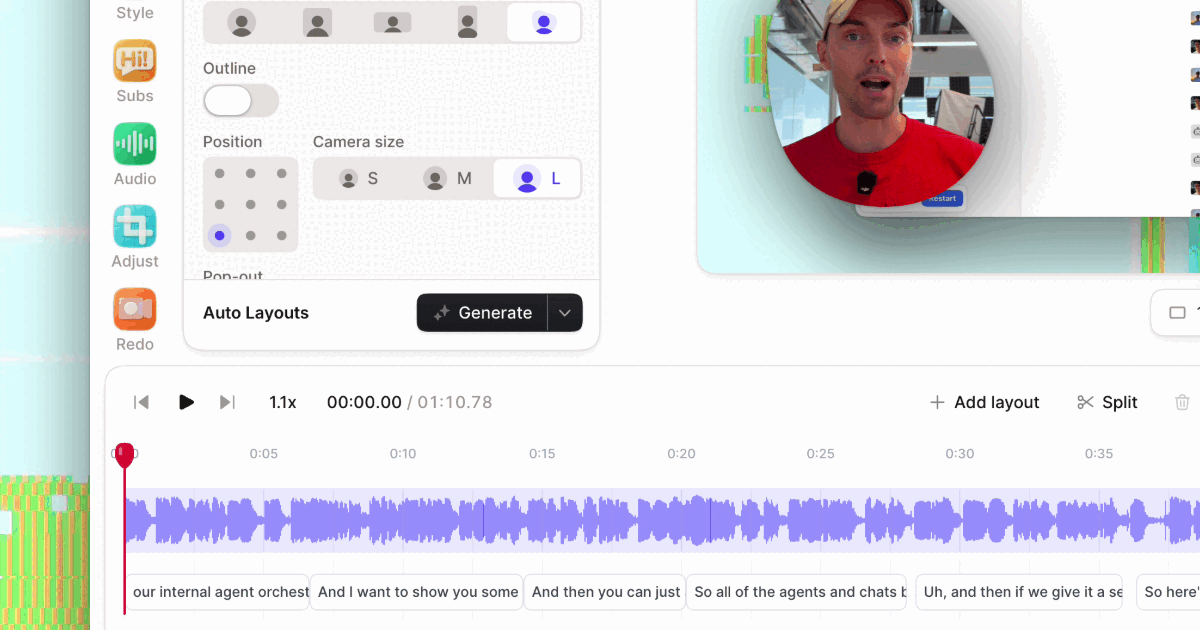
Tella is a screen recorder and editor for Mac, Windows and the web, and its MCP server gives an agent more than 100 tools for the whole job: record, edit, export and publish.
- Edit: cut by transcript (
cut_clip_by_transcript), remove filler words and silences, zoom on recorded clicks (generate_auto_zooms), apply screen-and-camera layouts, add b-roll, blur private details, add text, music and captions, and set chapters. - Check: the agent can read the transcript with word timings and look at frames of the edited video before it reports back.
- Finish: export an MP4, create a share link, sort videos into playlists, or publish to YouTube, LinkedIn, X, Instagram or Facebook.
- Record (closed beta): with Auto Capture, an agent asks for a take of a web page. Tella's capture agent opens the URL in its own browser, plans the walkthrough, and films it with an animated cursor. It hands back the take with chapters and suggested cuts, ready to edit with the same tools. It can sign in to your product with a login you've saved in Tella. As far as we know, no other MCP server both records a product and edits the result.
Connect: Tella in Claude's Connector Directory, Tella in ChatGPT's app directory, or https://api.tella.com/mcp (Streamable HTTP, OAuth sign-in) in Claude Code, Codex, Cursor or any MCP client.
Where it stops: it edits recordings rather than generating footage (it can generate images and sound effects to place in a video). Through MCP it can read subtitle translations but not create them, and it doesn't dub audio. Auto Capture records public http/https pages only, not desktop or mobile apps, and is in closed beta on paid plans, where each take uses AI credits.
Price: the MCP server is included on every plan, including the free trial.
2. ScreenApp
ScreenApp runs a hosted MCP server at https://screenapp.io/app/api/mcp with OAuth sign-in, on every plan including Free. It lets Claude or ChatGPT search your recordings and read the transcripts and summaries ScreenApp already made.
Where it stops: it's built for reading your library, not editing videos.
3. Clipy
Clipy has two MCP servers. The hosted one (https://clipy.online/api/mcp, OAuth) searches, reads and organizes your library. The local one (npx @clipy/mcp, with an API key) can record a web app in headless Chromium with timestamped step markers and return a share link, which suits bug reports.
Where it stops: recording needs the local server and an API key, and Clipy's docs say the hosted connector can't start a new capture.
Hosted editors
4. Descript MCP
Descript's official MCP server connects through your Descript login and is scoped to one Drive. An agent can import media, edit with Underlord, Descript's built-in agent (Studio Sound, remove filler words, captions), search and organize projects, publish to a Descript web link, and export transcripts.
Where it stops: finished files come out as a published Descript web link rather than a direct download, and imports and Underlord edits use media minutes and AI credits.
5. invideo
invideo's MCP server (https://mcp.invideo.io/mcp) works on a full multitrack timeline: edit, color correct, mix audio, and generate images, video and audio from Claude, ChatGPT, Cursor or any MCP client.
Where it stops: plans are credit-based and built around generation, so check which models yours covers.
6. Wireflow
Wireflow's hosted MCP edits the Video Editor node inside a Wireflow workflow: the agent reads the cut, replaces it, previews stills and renders by running the workflow.
Where it stops: it only edits video that goes through a Wireflow workflow.
Desktop editor bridges
These let an agent remote-control an editor installed on your computer. They're free and open source (Palmier Pro aside), but the editor has to be open on the same machine.
7. DaVinci Resolve MCP
samuelgursky/davinci-resolve-mcp is the most-starred community server. It drives Resolve through Blackmagic's scripting API: timeline edits, subtitles from audio, the render queue and Quick Export. Set up with npx davinci-resolve-mcp setup.
Where it stops: Blackmagic limits external scripting to Resolve Studio; the free edition works only through an in-app bridge script.
8. Adobe Premiere Pro MCP
hetpatel-11/Adobe_Premiere_Pro_MCP exposes Premiere's razor, trim, ripple delete, caption tracks from SRT and export through Media Encoder, via a CEP panel.
Where it stops: Premiere, the MCP client and the bridge panel must all run on one computer. Adobe's own Adobe for creativity connector for Claude covers outcome-level jobs (resize a clip, Quick Cut highlights) rather than timeline edits.
9. Palmier Pro
Palmier Pro is a macOS video editor built for agents. While it's open, Claude Code, Codex or Cursor can read the timeline, edit, render frames to check the result and export, and it generates media on the same timeline.
Where it stops: it needs macOS 26 (Tahoe), and agents can reach it only while the app is open.
Clipping servers: long video in, shorts out
10. OpusClip, Reap and Submagic
All three take a long video, find the moments worth posting, and cut captioned, reframed clips your agent can publish.
- OpusClip (
https://mcp.opus.pro/mcp) ranks clips with sub-scores and can round-trip its editor's edit script and export a Premiere project. - Reap adds dubbing into 80+ languages and captions in 100+, and works with Claude, ChatGPT, Cursor, VS Code and Gemini CLI.
- Submagic (
https://api.submagic.co/mcp) uses an API key rather than OAuth, and publishes to TikTok and Instagram.
Where they stop: they make clips from one long video. They're not built for tightening a full-length demo or tutorial.
Render and file tools
11. Shotstack
Shotstack's MCP server renders video from templates and JSON. Use it when video is assembled from data, such as a personalized video per customer record, rather than recorded.
12. ffmpeg-mcp-lite
ffmpeg-mcp-lite gives an agent eight FFmpeg tools for local files: trim, merge, convert, compress, extract audio or frames, and burn in subtitles. Install with claude mcp add ffmpeg uvx ffmpeg-mcp-lite. Every edit writes a new file, so there's no project to come back to. For local files, Tella's open-source agent skills such as Cut Video do the same job with transcript-aware cuts.
A note on Remotion: its official MCP server (@remotion/mcp) helps your AI read Remotion's docs; it doesn't render video. See how to use Remotion agent skills with Claude Code.
How to choose
- Where does the video start? A screen recording or a product you want filmed: Tella. Footage you edit as a transcript: Descript. A project in Resolve or Premiere: a desktop bridge. A long webinar you want shorts from: a clipping server. Data or templates: Shotstack.
- Hosted or local? Hosted servers with OAuth (Tella, Descript, invideo, OpusClip, Reap) connect in one step from Claude or ChatGPT on the web. Local servers need the editor or FFmpeg on your machine and only work in desktop agents like Claude Code, Codex or Cursor.
- Can it finish the job? Check whether the agent can export a file, create a share link and publish, or only hand back a draft or a web link.
- Can it check its own work? Agents make better edits when they can read word timings and look at frames before saying they're done.
Try Tella's MCP server
Connect Tella to Claude, ChatGPT, Codex or Cursor from tella.com/mcp, then paste:
Open my latest Tella video. Remove filler words and pauses longer than a second, add zooms where I click, then show me a preview of each change before you export.
Or, if your workspace has Auto Capture:
Use Tella to record a 30-second product demo of https://example.com/pricing for first-time visitors, ending on the yearly toggle. Then put it in a new Tella video.
The Edit video with AI agents guides walk through each job step by step.