Screen Recorder Education Discounts in 2026: Student and Teacher Deals Compared
Every major screen recorder's student and teacher deal in one place: Tella, Loom, Camtasia, ScreenPal, Screencastify, Descript, Screen Studio, CleanShot X and more. What each discount is worth, who qualifies and how to claim it.
Most screen recorders have a student or teacher deal, but they're buried in FAQs, store sub-pages and partner programs, and they differ a lot: some are a free term, some are a small percentage off, and some only apply to a whole school.
This page puts them side by side, with what each deal is worth, who qualifies and how to claim it.
Disclosure: we make Tella, and it's first on the list. Every competitor's terms come from its own pricing or education page, last checked on October 17, 2026, and linked below. Education programs change often, so check the vendor's page before you buy.
The short answer
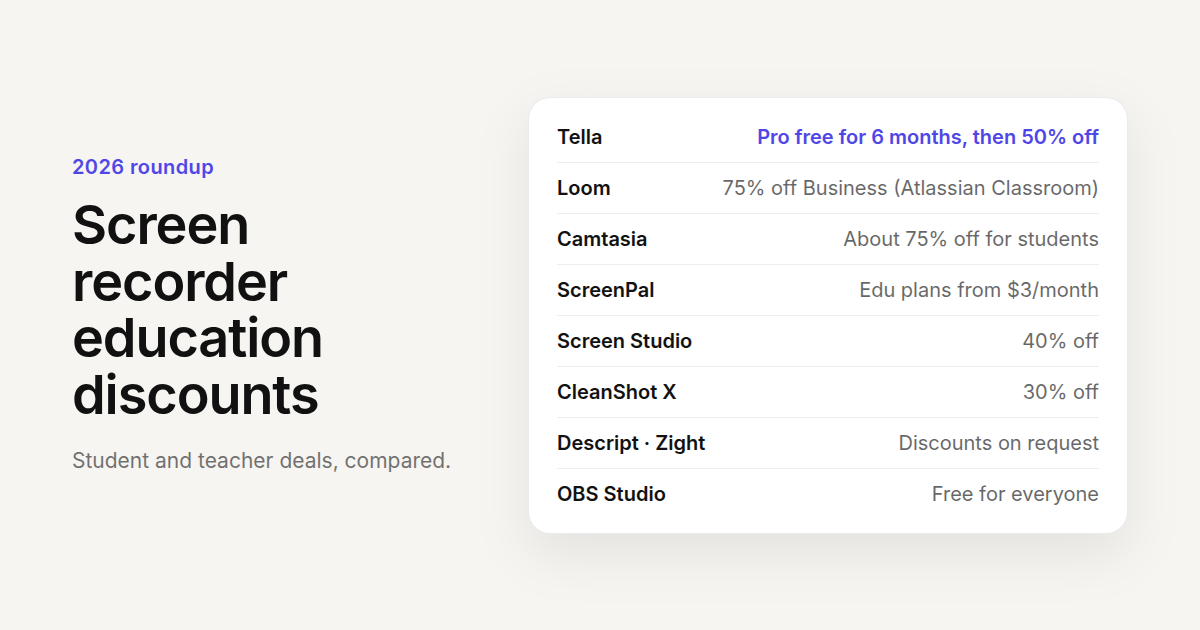
- Biggest free deal: Tella for Education, 6 months of Tella Pro free with no card, then 50% off Pro while you stay eligible.
- Biggest percentage off: Loom (75% off Business through an Atlassian Classroom license) and Camtasia's student subscription (about 75% off).
- Cheapest published education price: ScreenPal Deluxe Edu at $3 a month, billed annually.
- Mac-only recorders: Screen Studio gives 40% off, CleanShot X gives 30% off.
- On request, amount not published: Descript and Zight.
- Free for everyone: OBS Studio. Clipchamp's personal plan is free, and its work version comes with some Microsoft 365 education licenses.
Quick comparison
| Recorder | Education deal | Who qualifies | Platforms |
|---|---|---|---|
| Tella | Pro free for 6 months, then 50% off | Students and educators with a school email | Mac, Windows, Chrome, web |
| Loom | 75% off Business and Business + AI; 50% off for institutions | Students, graduate students and teachers (via Atlassian) | Mac, Windows, Chrome, mobile |
| Camtasia | About 18% off for educators, about 75% off for students | Educators at accredited institutions; full-time students | Mac, Windows |
| Snagit | About 18% off for educators, about half off for students | Same as Camtasia; student plan in the US, UK and Canada | Mac, Windows |
| ScreenPal | Edu plans at $3 or $6 a month | K–12 and higher education | Web, Mac, Windows, mobile |
| Screencastify | School and district plans by quote | Schools and districts | Chrome |
| Descript | Special rates on request | Students, educators, nonprofits | Mac, Windows, web |
| Screen Studio | 40% off | School email, or a student ID by email | Mac |
| CleanShot X | 30% off | University-issued email | Mac |
| Zight | Free and discounted plans on request | Teachers, students with a school email | Mac, Windows, Chrome |
| Clipchamp | Included in some Microsoft 365 education licenses | Schools on those licenses | Web, Windows |
| OBS Studio | Free for everyone | Anyone | Windows, Mac, Linux |
Free terms and the biggest discounts
1. Tella
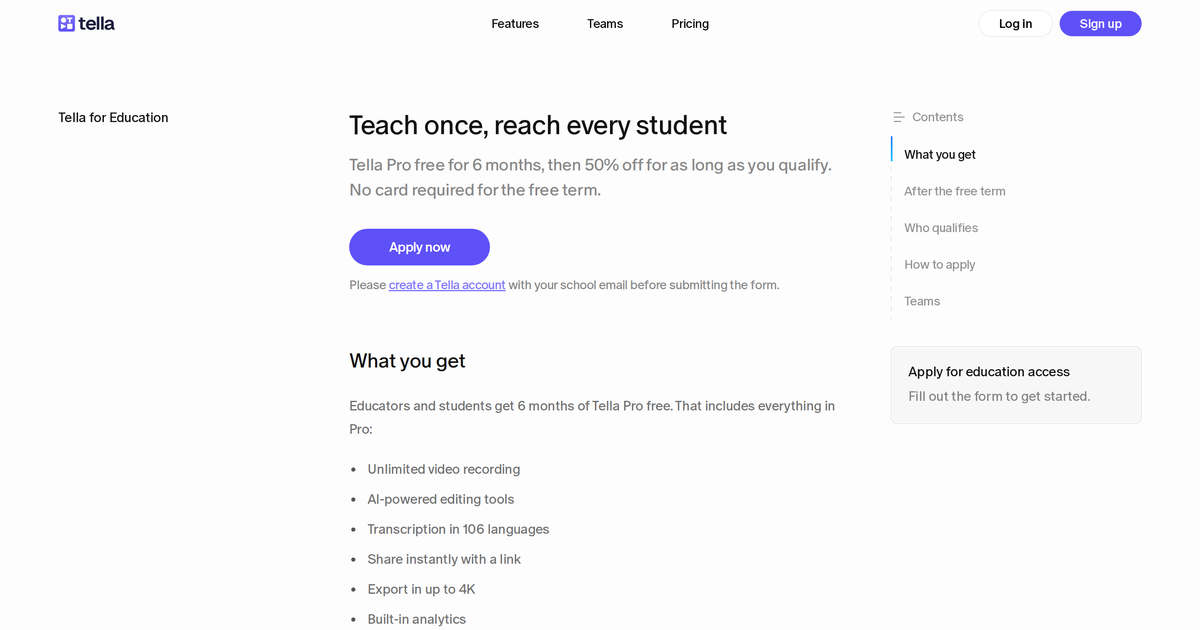
Tella for Education gives teachers, professors and students at accredited institutions 6 months of Tella Pro free, with no card required, then 50% off Pro for as long as they stay eligible. Pro is normally $13 per month billed annually or $26 billed monthly, so the education price works out to $6.50 or $13.
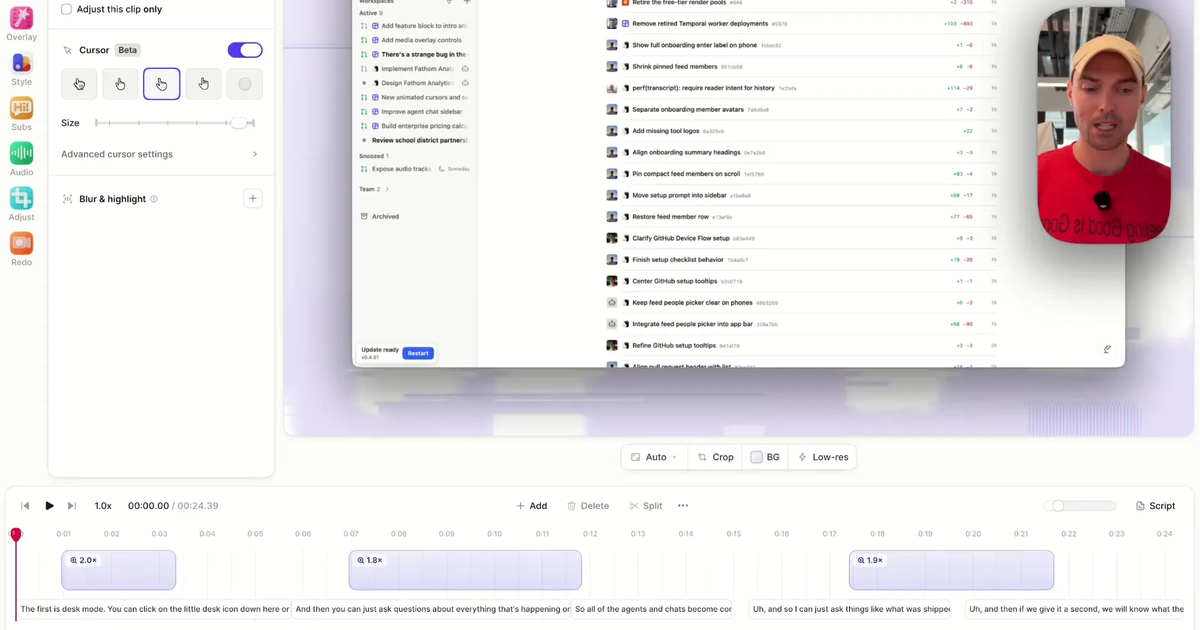
The free term includes everything in Pro: unlimited recording, clips up to 6 hours (long enough for a full lecture), AI editing that removes mistakes, silences and filler words, Auto Layouts and Auto Zoom, share links and embeds for an LMS, exports up to 4K, and viewer analytics.
How to claim it: create a Tella account with your school email, then apply on the Tella for Education page with your name, school website and that email. Review takes a few days. Nothing renews automatically when the free term ends; you choose whether to keep Pro at the discount. Departments get 50% off too, with an Education Team plan from sales+education@tella.com.
Best for: lecture recordings, software tutorials and video feedback that students watch from a link. We cover the program in detail in Free Screen Recorder for Students & Teachers.
2. Loom
Loom's education offer now runs through Atlassian, Loom's parent company. Eligible collegiate students, graduate students and teachers using Loom for classroom or learning activities can apply for an Atlassian Classroom license: 75% off Loom Business or Business + AI. Accredited institutions, and research institutes and teaching hospitals affiliated with an accredited university, get 50% off Business, Business + AI and Enterprise.
How to claim it: fill in Atlassian's License Request for Educators form, linked from its purchasing and licensing FAQ. Atlassian checks eligibility with Goodstack.
Watch out for: Loom's free Starter plan is capped at 25 videos, each up to 5 minutes, so a lecture won't fit without a paid or discounted plan.
3. ScreenPal
ScreenPal (formerly Screencast-O-Matic) publishes the cheapest paid education plans on this list: Deluxe Edu at $3 a month and Max Edu at $6 a month, billed annually. Deluxe Edu removes the recording limit and adds the full video editor and AI captions; Max Edu adds ScreenPal AI, auto-transcription, text-to-speech narration and unlimited quizzes. Team Education is $3 per user per month for 10 or more seats, with SSO and team management.
How to claim it: buy on the ScreenPal education plans page. The free plan stays available, with a 15-minute recording limit and 10 hosted videos.
Best for: teachers who want built-in quizzes and polls on their videos at a low price.
Percentage discounts on paid plans
4. Camtasia
TechSmith sells Camtasia education subscriptions in two tiers on its education store page:
- Educators (teachers, professors and instructional staff at accredited institutions): about 18% off the yearly per-user price. Licenses come as transferable software keys, so a department can reassign seats. Online orders go up to 99 seats; beyond that, contact sales.
- Students (verified full-time students, with a student ID or school email): about 75% off a yearly subscription.
TechSmith shows prices in your local currency, so check the store page for the exact amount.
Best for: heavily edited course videos, with a full timeline editor, quizzes and cursor effects.
5. Snagit
Snagit, TechSmith's screenshot and short-recording tool, has the same structure on its education store page: about 18% off for educators, and about half off for verified full-time students. The student subscription is available in the US, UK and Canada only.
Best for: annotated screenshots and step-by-step guides more than long videos.
6. Screen Studio
Screen Studio, a Mac recorder known for automatic zooms, gives 40% off to anyone with a university or other educational email address, applied automatically from its "Request Educational Discount" page (linked from the Screen Studio FAQ). If you don't have a school address, send proof of student status to team@screen.studio for a discount code.
Best for: polished product-style demos on a Mac. See how it compares in Screen Studio alternatives.
7. CleanShot X
CleanShot X, a Mac screenshot and recording app, gives 30% off with a university-issued email address, per its pricing page. CleanShot Basic is a one-time $35 purchase with a year of updates.
Best for: quick Mac screenshots and short clips more than lecture-length recordings.
Discounts you have to ask for
8. Descript
Descript's pricing FAQ says it offers special rates for students, educators and nonprofits through a request form. It doesn't publish the amount, so you'll find out after you apply.
Best for: editing talking-head lectures and podcasts by editing the transcript.
9. Zight
Zight (formerly CloudApp) says on its pricing page that it offers free and discounted plans for teachers, students with a valid educational email address and qualifying nonprofits. Talk to sales and say which applies.
10. Screencastify
Screencastify is built around K–12 classrooms, but its pricing page doesn't list a discount for individual teachers. It offers a free plan (up to 10 videos of up to 30 minutes), Starter at $7 and Pro at $10 per user per month billed annually, and an Enterprise & EDU plan by quote that adds LMS integrations, central admin, Google and Microsoft SSO and training.
Best for: schools that standardize on Chromebooks and want one district-wide license.
Free through your school, or free for everyone
11. Clipchamp
Clipchamp, Microsoft's video editor with a built-in screen and camera recorder, has a free personal plan that exports up to 1080p without watermarks. Per its pricing FAQ, the standard work version is included in some Microsoft 365 education licenses, so check whether your school's account already has it. Premium features and AI video creation on the work version need a Copilot license.
12. OBS Studio
OBS Studio is free and open source on Windows, Mac and Linux, for students and teachers like everyone else. It's very capable for recording and live streaming, but it's a recorder only: there's no hosting, share link, transcript or AI editing, so you'll need other tools to trim and share the video.
How to choose
- You want the most for free: Tella gives you its full Pro plan free for 6 months, with no card, before you decide. OBS Studio is free forever if you're happy to edit and host elsewhere.
- You're a student on a tight budget: compare Camtasia's student price (about 75% off), Loom's Classroom license (75% off) and Tella's 50% off after the free term.
- You're buying for a department or district: Tella's Education Team plan (also 50% off), ScreenPal Team Education, Screencastify Enterprise & EDU and Atlassian's 50% institutional discount on Loom are all built for many seats.
- You only use a Mac: Screen Studio (40% off a subscription) or CleanShot X (30% off; CleanShot Basic is a one-time purchase).
Whichever you pick, have your school email ready: it's how most of these programs check that you qualify.
Questions people ask
Does Loom have a student discount?
Yes. Collegiate students, graduate students and teachers can get 75% off Loom Business or Business + AI with an Atlassian Classroom license, and accredited institutions get 50% off. Apply through Atlassian's License Request for Educators form; Atlassian verifies eligibility with Goodstack.
Does Camtasia have an education discount?
Yes. TechSmith's education store sells Camtasia to educators at accredited institutions for about 18% off the yearly price, as transferable keys for up to 99 seats online, and to verified full-time students for about 75% off. Students verify with a student ID or school email.
Does Screen Studio have a student discount?
Yes, 40% off. With a university or other school email it's applied automatically from Screen Studio's "Request Educational Discount" page. Without one, email proof of student status, such as a student ID, to team@screen.studio for a code.
Does CleanShot X have a student discount?
Yes, 30% off with a university-issued email address, entered on CleanShot's discount page. CleanShot Basic is a one-time $35 purchase with a year of updates; CleanShot Pro is a subscription.
Does Descript have a student or teacher discount?
Descript says it offers special rates for students, educators and nonprofits through a form linked from its pricing FAQ. It doesn't publish the discount amount.
Is Screencastify free for teachers?
Screencastify's free plan, open to anyone, allows up to 10 videos of up to 30 minutes each. It doesn't publish a discount for individual teachers; schools and districts buy its Enterprise & EDU plan by quote.
Is ScreenPal cheaper for teachers?
Yes. ScreenPal's education plans are $3 a month (Deluxe Edu) and $6 a month (Max Edu), billed annually, and Team Education is $3 per user per month for 10 or more seats. Its free plan has a 15-minute recording limit and 10 hosted videos.
Is there a completely free screen recorder for school?
OBS Studio is free and open source on Windows, Mac and Linux, with no limits, but it only records: there's no hosting, transcript or AI editing. Clipchamp's free personal plan records screen and camera and exports up to 1080p without a watermark.
How long does Tella's education discount last?
The free Pro term lasts 6 months from approval and ends on its own, without charging you. After it, the 50% discount on Pro lasts as long as you stay eligible, with monthly or yearly billing. Tella checks eligibility every 12 months; if you don't pass or don't respond within 30 days, Pro continues at full price until you change or cancel it.
How much does Tella cost for students after the free term?
Half the individual Pro price: $6.50 a month billed annually or $13 billed monthly, since Pro is $13 a month billed annually or $26 billed monthly.
Can I get Tella's education discount with a Gmail or personal address?
No. Tella checks eligibility by your school email, so create your Tella account with the school address first, then apply on the Tella for Education page.
Can a whole class or department use Tella for Education?
The education offer is for one user per workspace, and the free term is available once per workspace. For several seats, an Education Team plan gives the whole team 50% off; email sales+education@tella.com.
Do nonprofits get a discount on screen recorders?
Some do. Tella gives verified nonprofits 50% off Pro or Premium, Descript and Zight offer nonprofit rates on request, and Atlassian, Loom's parent company, offers discounted Social Impact licenses to registered nonprofits.