Best Screen Recorders With Automatic Zooms and Hosted Sharing (2026)
The screen recorders that add zooms automatically and host the result on a shareable link, compared: Tella, Screen Studio, Cap, FocuSee, Supercut, and Camtasia, with platforms, hosting limits, and pricing.
Two things people now expect from a screen recorder: automatic zooms, so the software follows your clicks and viewers can read the UI, and hosted sharing, so the finished video is a link you paste rather than an MP4 you upload somewhere.
This guide covers the recorders that do both, what each one's hosting includes, and where the limits are. Pricing and platform details are from each vendor's site as of September 2026; check them before buying.
Quick picks
- Best overall: Tella. Auto Zoom, animated cursor, blur and highlight, AI editing, and a hosted page with analytics, on Mac, Windows, and the web.
- Best for Mac-only polish: Screen Studio. Smooth automatic motion, but Mac-only and links capped at 30 minutes.
- Best open source: Cap. Cross-platform, free tier, hosted links.
- Best one-time purchase: FocuSee. Lifetime licence, hosting on paid plans.
- Best if you want a full desktop editor: Camtasia. Automatic zooms in a full timeline editor, no hosting.
At a glance
| Tool | Auto zoom | Hosted sharing | Mac / Windows | Free plan | Entry price |
|---|---|---|---|---|---|
| Tella | Yes, plus animated cursor, blur, highlight | Yes, hosted page with analytics | Both, plus web and Chrome | 7-day free trial | From $13/user/mo (Pro, annual) |
| Screen Studio | Yes | Shareable links up to 30 min each, with comments and view counts | Mac only | No | $9/mo |
| Cap | Yes | Yes | Both | Yes (5-min share links) | $29/yr |
| FocuSee | Yes | Paid plans only | Both | No | $49.99/yr |
| Supercut | Yes | Yes | Both | No | €13/seat/mo |
| Camtasia | Yes | No | Both | No | $179.88/yr |
| Loom | No | Yes | Both | Yes (5-min recordings) | $18/user/mo |
Loom is in the table as a reference point, since it's what most people are comparing against: good hosting, no zooms.
What we checked
- Are zooms generated, or only manual? "Zoom effects" in a feature list often means you drag a keyframe yourself. We only counted tools that generate zooms from recorded clicks or cursor movement.
- What does hosting include? A link that expires, caps duration, or needs an export first is different from a hosted page with viewer analytics.
- Can you edit the zooms afterwards? Automatic first passes are never perfect. Being able to move, retarget, or delete a zoom is what makes the feature usable.
- Which platforms capture the cursor data? Auto zoom depends on the recorder capturing clicks. A Mac-only recorder means Mac-only auto zoom.
Tella
Tella records your screen, camera, mic, and system audio on Mac, Windows, and in the browser, and adds the polish in the editor rather than during recording.
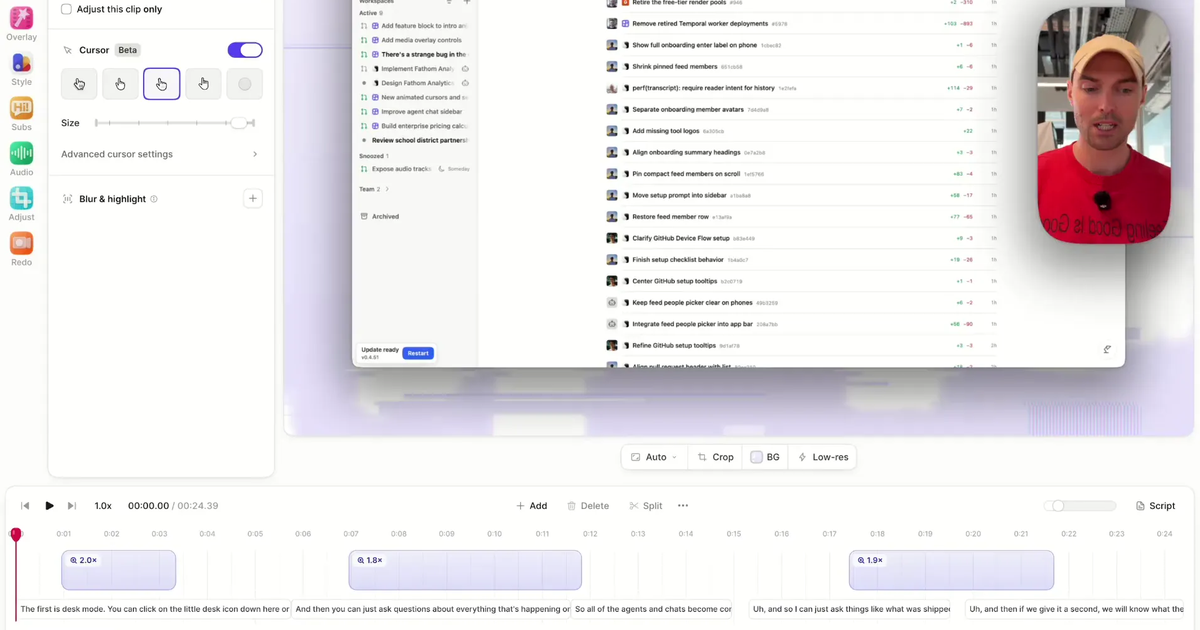
Automatic zooms: open Effect, click Generate zooms, choose Adaptive, Subtle, Moderate, or Intense. Every generated zoom is an ordinary zoom you can move, retarget, split, or delete. Turn on Auto-apply zooms in Preferences and they're added once a recording's uploads finish. Motion blur, camera shrinking during zooms, and an animation style (Gentle to Snappy) sit alongside.
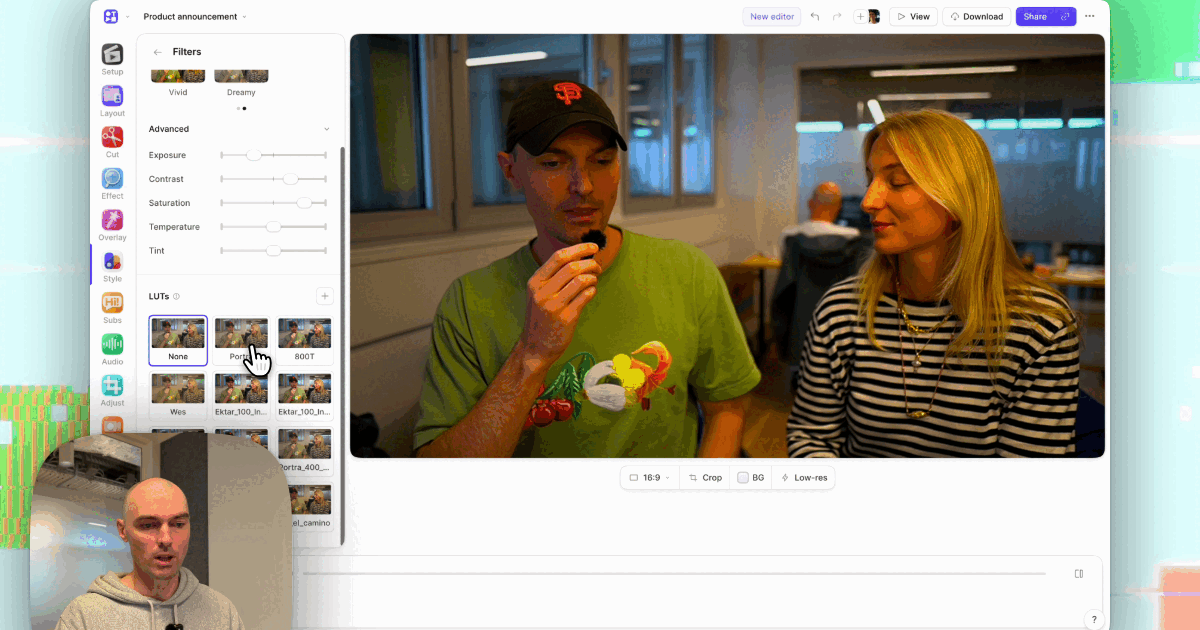
Beyond zooms: the same Effect panel has an animated cursor you can restyle after recording (macOS, Windows, or touch pointer, with smoothing and click ripples) and blur and highlight overlays. Auto Cut removes mistakes and silences, Auto Layouts reframes screen and camera, and Studio Voice cleans up the mic.
Hosted sharing: every video gets a link as soon as you finish, with viewer analytics (views, watch time, engagement), comments, password protection, custom branding, and embeds. Zooms and effects play in the hosted video, so there's no export before sharing. Export an MP4 in up to 4K when you need a file.
Platforms: native Mac and Windows apps, a web recorder, and a Chrome extension. Auto Zoom needs cursor data, which the desktop apps capture for any recording and the extension captures for browser tabs.
Pricing: no free plan; every account starts with a 7-day free trial. Paid plans start at $13 per user per month on the annual Pro plan.
Keep in mind: Tella is built for demos, tutorials, courses, and async video. It isn't a game recorder or a frame-by-frame VFX editor.
Try Tella free or read how Auto Zoom works step by step.
Screen Studio
Screen Studio is the recorder most people associate with automatic zooms. Recordings get smooth motion, a large animated cursor, and a padded background, and the auto zoom follows your clicks with little tuning.
Automatic zooms: yes, editable in Screen Studio's timeline.
Hosted sharing: shareable links play in 1080p at 60 fps for videos up to 30 minutes each. Links can be private, viewers can leave comments tied to a moment in the video, and you can see how many people watched. The product is still built around exporting files (up to 4K/60) rather than hosting a library, its listed analytics stop at view counts, and there's no team plan.
Platforms: macOS only.
Pricing: from $9/mo; no free plan.
Keep in mind: if you need Windows, hosting for longer videos, or team features, you'll outgrow it. See Tella vs Screen Studio.
Cap
Cap is an open-source recorder for Mac and Windows with a built-in editor and instant share links.
Automatic zooms: yes, with editable zoom segments.
Hosted sharing: yes. Free cloud share links are limited to 5 minutes; paid plans lift the limit.
Platforms: Mac and Windows.
Pricing: free tier; paid from $29/yr.
Keep in mind: it's a younger product with a smaller editing feature set than Tella or Camtasia, and no blur effect. See Tella vs Cap.
FocuSee
FocuSee (from iMobie) records on Mac and Windows and generates zooms and cursor effects automatically.
Automatic zooms: yes.
Hosted sharing: on paid plans only.
Platforms: Mac and Windows.
Pricing: from $49.99/yr, or a $199.99 lifetime licence; no free plan.
Keep in mind: hosting is a paid add-on rather than the centre of the product, and there's no team workspace. See Tella vs FocuSee.
Supercut
Supercut is a Loom-style recorder with automatic zooms and a hosted page for each video.
Automatic zooms: yes.
Hosted sharing: yes.
Platforms: Mac and Windows.
Pricing: from €13/seat/mo; no free plan.
Keep in mind: there's no blur or highlight, so anything private on screen needs another tool. See Tella vs Supercut.
Camtasia
Camtasia is TechSmith's long-running screen recorder and editor for Mac and Windows.
Automatic zooms: yes, inside a deep timeline editor with more manual control than the others.
Hosted sharing: no. You export a file and upload it to YouTube, Vimeo, or your own host.
Platforms: Mac and Windows.
Pricing: from $179.88/yr; no free plan.
Keep in mind: if sharing a link within a minute of recording matters, Camtasia adds an export-and-upload step every time. See Tella vs Camtasia.
What about Loom?
Loom's hosting is good, and it has trimming, stitching, transcript editing, and filler-word removal. It has no zoom effects, no automatic zooms, and blur is paid-only. If you like Loom's sharing and want zooms, Tella, Supercut, and Cap are the closest fits. See why teams switch from Loom or the Loom alternatives guide.
How to choose
- Zooms and a link on Windows or a mixed team: Tella, Cap, or Supercut. Screen Studio is out.
- Mainly exporting files for a landing page, on a Mac: Screen Studio or Tella.
- Zooms that are editable in detail: Tella or Camtasia. Both let you move, split, retarget, and change the scale of every zoom.
- Blur, cursor styling, or AI editing as well: Tella. It's the only tool here with automatic zooms, an animated cursor, blur and highlight, AI cuts, and hosting together.
- Budget: Cap's free tier for short clips, or FocuSee's lifetime licence.
Sources
- Screen Studio: features and pricing, auto zoom guide, shareable links and shareable link comments
- Cap pricing and Cap docs: sharing
- FocuSee pricing
- Supercut pricing
- Camtasia store
- Loom pricing
- Tella pricing
Start a free Tella trial and generate zooms on your first recording.