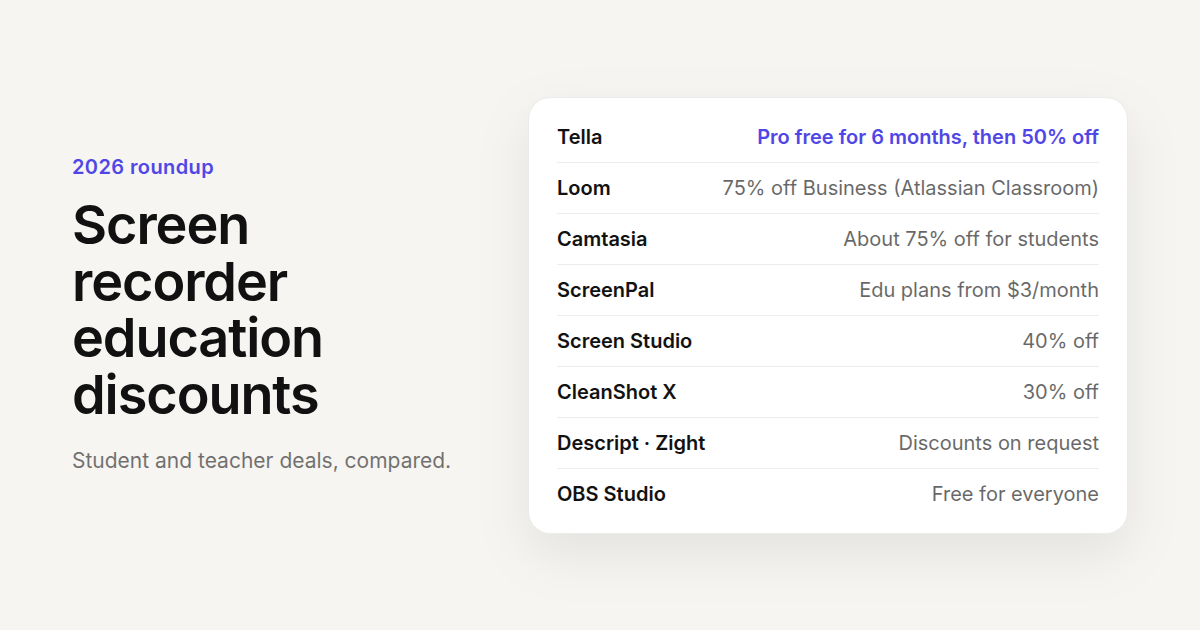
Free Screen Recorder for Students & Teachers: Tella for Education Explained
What Tella for Education includes (6 months of Tella Pro free, then 50% off), who qualifies, how to apply with a school email, and what students and teachers can record with it.
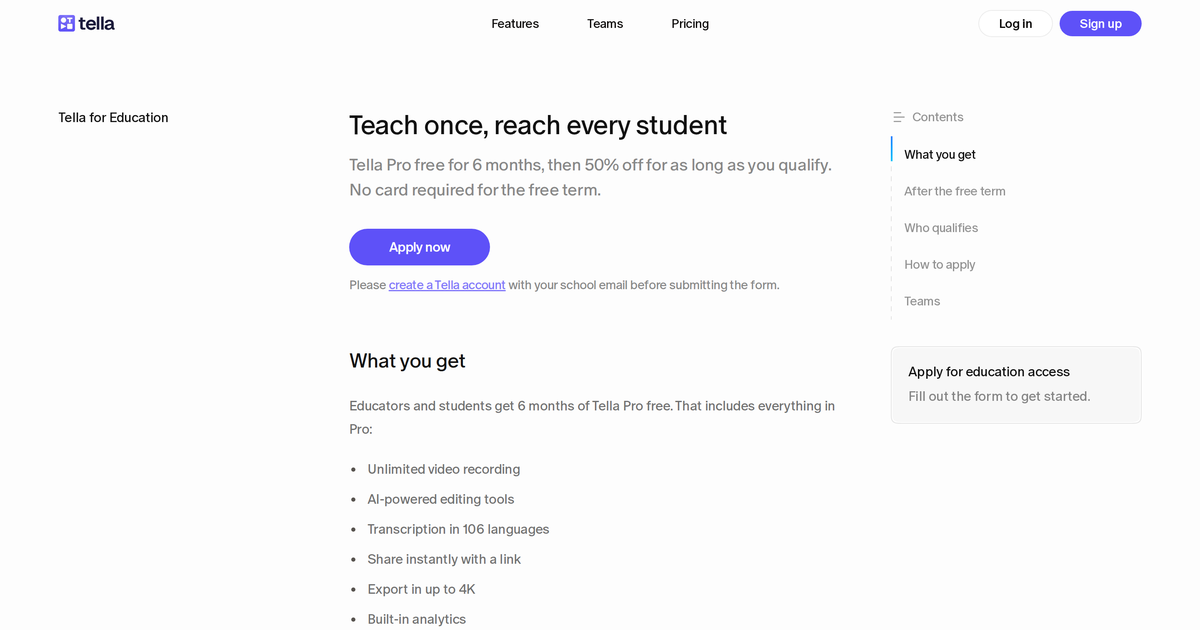
Tella for Education gives teachers, professors, and students at accredited institutions 6 months of Tella Pro free, no card required, then 50% off the individual Pro price for as long as they stay eligible. Apply with your school email, get approved within a few days, and record, edit, and share lecture videos, tutorials, and assignments with the full Pro plan.
This post covers what you get, who qualifies, how to apply, and what happens when the free term ends.
What Tella for Education includes
As of September 2026, the program is a free term followed by a discount.
Months 1 to 6: Tella Pro, free. Everything in the Pro plan:
- Unlimited video recording, with no 7-day expiry on your videos
- Recordings up to 6 hours per clip, enough for a full lecture
- AI editing: the mistakes finder, Auto Cut (removes mistakes, silences, and filler words), Auto Layouts, Auto Zoom, and Studio Voice for cleaning up microphone audio
- Transcription in 106 languages
- Instant sharing with a link, plus embeds for an LMS or course page
- Export in up to 4K
- Built-in analytics: views, watch time, engagement, and conversion funnels
- Email support
After month 6: 50% off Pro, for as long as you remain eligible. Monthly and yearly billing are both available, and there's no limit on how long the discount runs. Tella verifies eligibility once every 12 months.
The free term is available once per workspace, for one user. Departments that need several seats should ask about an Education Team plan (below).
Who qualifies
- Teachers and professors at accredited educational institutions.
- Students at accredited institutions, with an expected graduation date.
In both cases you need a Tella account registered to your school email address, for example you@university.edu. Personal Gmail or Outlook addresses don't qualify, because the school domain is how eligibility is checked.
Students and teachers use the same form; students also add their expected graduation month and year.
How to apply
The application checks that your school email matches an existing Tella account, so the order matters:
- Create a Tella account with your school email at tella.tv/api/signup. If you already have a Tella account on a personal address, make a new one on the school address.
- Open the Tella for Education page and click Apply now.
- Enter your full name, your institution's website, and the school email address from step 1.
- Choose educator or student. Students select the month and year of their expected graduation.
- Submit. You'll get a confirmation email, and review takes a few days.
Once approved, Pro is applied to your account for 6 months. There's nothing else to set up.
The most common reason an application stalls is step 1: the form was submitted before the school-email account existed. If that happens, create the account and submit again.
What to record with it
Lecture recordings. Record slides or a whiteboard app with your camera in the corner. Auto Layouts switches between screen-and-camera and full-screen slides as you go, and Auto Cut removes the pauses and "um"s afterwards. A 50-minute lecture fits in a single clip.
Software tutorials. For teaching a tool (a stats package, an IDE, a design app), use the Mac or Windows app so Tella captures your cursor and clicks. Then generate zooms with Auto Zoom so students can read the menu you clicked on a phone screen, and turn on the animated cursor so they can see where you clicked.
Feedback on student work. Open the essay or the code, record a two-minute screen-and-camera video walking through your comments, and paste the link into the LMS. It's faster than typing the comments, and students hear how you meant them.
Student assignments and presentations. Students can record a project demo, a presentation with their slides, or a walkthrough of their code, then share a link instead of uploading a 2 GB file. Viewer analytics show whether the group watched it.
Flipped classroom content. Record the explanation once, share the link, and use class time for the exercises. Pro videos don't expire, so last semester's videos are still there next semester.
Office hours answers. When the same question arrives three times, record the answer once and link it.
A few details that matter in a classroom:
- Captions: transcription in 106 languages gives you automatic subtitles for accessibility and for students watching without sound.
- Privacy: blur student names or grades on screen after recording, and use viewer settings (password or restricted access) for anything that shouldn't be public.
- Embedding: every video has an embed code that works in Canvas, Moodle, Notion, or any page that accepts an iframe.
When the free term ends
The free term runs 6 months from approval and ends on its own. Nothing renews and nothing is charged.
- A week before it ends, Tella emails you.
- During the last 30 days, go to Settings → Plans & Billing, choose monthly or yearly, and click Keep Pro at 50% off. Add a card and billing starts when the free term ends, with the discount applied.
- If you do nothing, the workspace moves to the Free plan and Pro features stop. The discount stays available: click Get Pro at 50% off in Settings → Plans & Billing whenever you want to subscribe.
Every 12 months on the discount, Tella emails you to resubmit the application form within 30 days to confirm you're still eligible. If approved, the discount continues. If you miss the check or aren't approved, the discount ends and Pro continues at full price from the next invoice until you change or cancel the plan. A later approved application restores the discount.
Education Team plans
The self-serve program is for individual educators and students, one per workspace, on the Pro plan. If a department, lab, or whole school needs access for several people, or needs Premium features, email sales+education@tella.com with the number of users and a short description of how the school will use Tella.
Compared with the free recorders schools already have
Most campuses already have a free recorder: Zoom's local recording, Loom's free plan, QuickTime, Xbox Game Bar. They capture the screen. The time goes into what happens after: cutting mistakes, adding captions, zooming so text is readable on a phone, hosting the video where students can watch it without downloading, and finding out whether anyone did. That's what the Pro plan covers, and what the education program makes free for six months.
For the wider landscape, see the best screen recording software guide.
Related reading
- Apply for Tella for Education: the help center reference with every eligibility rule.
- Tools to create online course videos
- How to add Auto Zoom to screen recordings
Apply for Tella for Education with your school email.